What the Declarations Page Actually Is
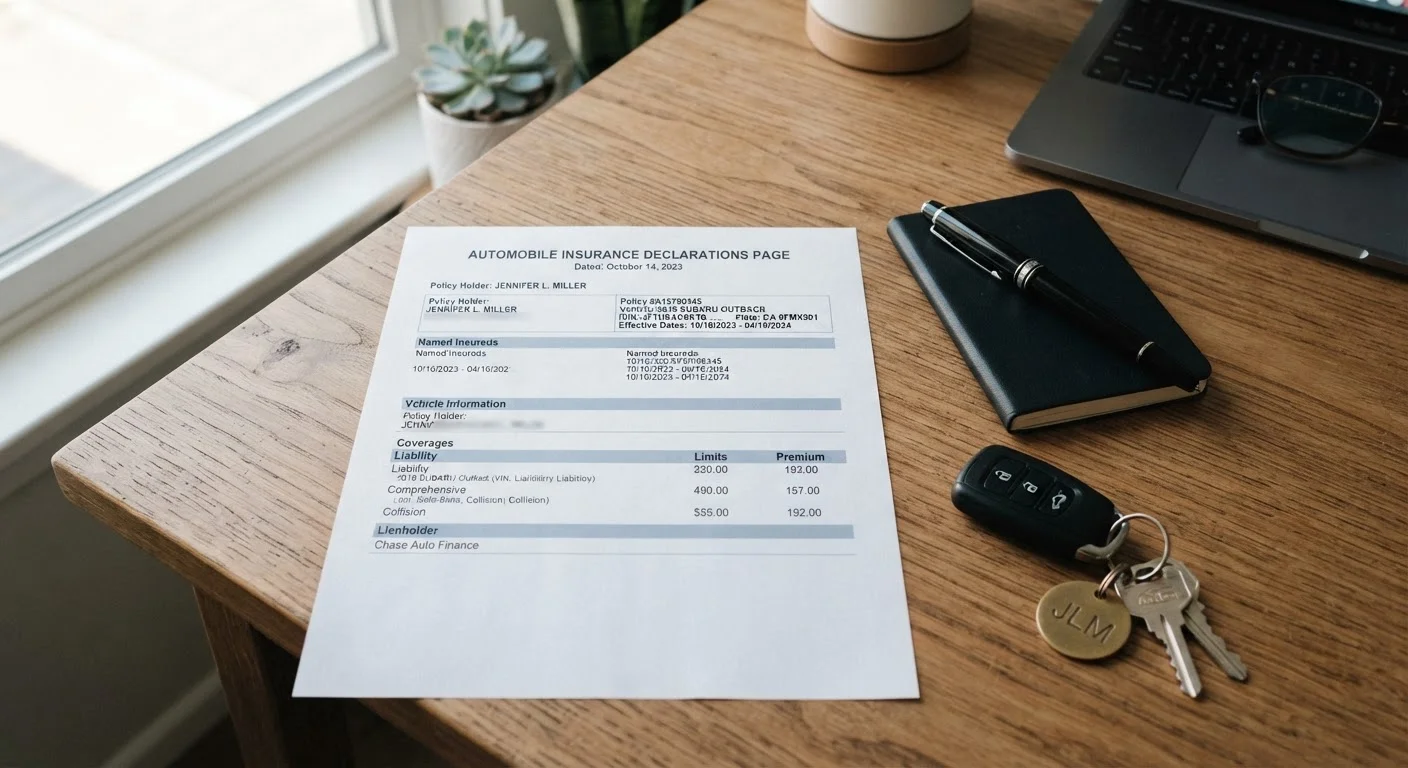
When your insurer sends your policy documents, the declarations page — often called the "dec page" — comes first. Think of it as the cover sheet: a condensed snapshot of everything your policy covers, who it covers, and what it costs. It is not the full policy contract. The complete contract, with all its conditions, exclusions, and definitions, runs many more pages. But the declarations page is the part you'll reference most often — at renewal, when shopping for quotes, when a lender asks for proof of coverage, and when something goes wrong.
If you've never taken a close look at yours, now is the time. A few minutes of careful reading today can prevent significant confusion at claim time. For a broader grounding in how auto insurance works as a whole, see our plain-language guide to car insurance.
What You'll Find in Each Section
While formatting varies by insurer, virtually every declarations page contains the same core sections. Here's what each one means.
Policy Information
At the top you'll find your policy number, the named insured (that's you, and any co-owners listed on the policy), and your mailing address. Confirm the address is current — an outdated one can slow down claim correspondence.
Policy Period
This shows your effective date and expiration date. Most personal auto policies run six or twelve months. Coverage does not automatically continue after the expiration date unless your policy has been renewed and paid for.
Vehicles Covered
Each vehicle on the policy is listed with its year, make, model, and Vehicle Identification Number (VIN). A typo in the VIN is not a trivial error — verify it matches the sticker on your dashboard. If a vehicle is missing or listed incorrectly, contact your insurer before you need to file a claim.
Drivers Listed
The declarations page identifies every driver associated with the policy. Insurers price risk partly based on driver history, so an unlisted regular driver in your household could complicate a future claim. If your driving situation has changed — a teenager now licensed, a roommate moved out — update your policy accordingly.
Coverage Types and Limits
This is the most important section to understand. Each coverage type is listed alongside its limit. Liability limits are commonly shown in a split format such as 100/300/100, which means $100,000 per person for bodily injury, $300,000 per accident for bodily injury, and $100,000 for property damage. Comprehensive and collision coverage will show a deductible — the amount you pay out of pocket before your insurer pays the rest. For a detailed breakdown of what each coverage type actually protects, see our guide on liability, collision, and comprehensive coverage.
Split Limits vs. Combined Single Limits
Some policies display liability coverage as a single combined limit rather than the familiar split-number format. A combined single limit (CSL) of $300,000, for example, means that amount can be applied flexibly across both bodily injury and property damage in a single accident. Neither format is inherently better — what matters is whether the total protection is adequate for your circumstances.
Endorsements and Additional Coverages
Any add-ons to your base policy — such as roadside assistance, rental reimbursement, or gap coverage — should appear here or in an endorsements section. If you thought you purchased an add-on but don't see it listed, contact your insurer to confirm.
Premium Breakdown
The declarations page shows your total premium and, in many cases, how that amount is divided across coverage types and vehicles. This transparency lets you see exactly what each coverage is costing you and whether the allocation makes sense for your situation.
Lienholder or Lessor Information
If you're financing or leasing your vehicle, your lender or leasing company is typically listed here as an additional interest. This is how they receive proof that their collateral — your car — is insured.
How to Read and Verify Your Dec Page
Follow these steps each time you receive a new or renewed declarations page.
Locate your most recent declarations page
Check your email inbox for the most recent policy documents sent by your insurer, or log into your insurer's online portal and download the current declarations page. If you only have a paper copy, locate the page labeled "Declarations" or "Policy Summary" — it's almost always the first sheet.
Confirm your personal and vehicle information
Check that your full legal name, current mailing address, and all listed vehicles are accurate. Cross-reference each VIN against the sticker on your dashboard (typically visible through the windshield on the driver's side). Report any discrepancies to your insurer in writing.
Check the policy period
Confirm the effective and expiration dates are what you expect. If your policy is within 30 days of expiring and you haven't received renewal documents, contact your insurer proactively — a lapse in coverage, even brief, can have consequences for your rates and legal driving status.
Review each coverage type and its limit
Go line by line through the coverage section. For each coverage listed, note: (1) what it covers, (2) the dollar limit, and (3) the deductible if applicable. If any coverage you expected to carry isn't listed — or a limit looks lower than you recall selecting — call your insurer to clarify before assuming you're protected.
Verify any endorsements or add-ons
Scan for any optional coverages you added — roadside assistance, rental reimbursement, gap insurance, or others. These are sometimes shown on a separate endorsements page attached to the declarations page. Confirm each one is present and reflects the terms you intended to purchase.
Confirm lienholder details if applicable
If your vehicle is financed or leased, verify that your lender or lessor is correctly listed as an additional interest, with the right name and address. Lenders require this for their records, and an incorrect listing could delay any claim payout that needs to involve them.
Once you've confirmed everything is accurate, file the declarations page somewhere accessible — digitally or in your glove compartment. When you're ready to review your full policy before your next renewal, our renewal review checklist walks you through each item to verify. And if you ever need to use your coverage, knowing what your dec page says will help you navigate the process described in our step-by-step claims walkthrough with greater confidence.
This article is for general informational purposes only and does not constitute insurance advice. Coverage terms, limits, and requirements vary by insurer, policy, and state. Consult a licensed insurance agent or adviser for guidance specific to your situation.